⚡ Local-First · GST-Ready

Your internet goes down.
Your sales don't.

ZeInfoTech POS is offline POS software built for multi-branch retail — GST billing, purchasing, inventory, and compliance that keep running even when the internet doesn't.

Windows Desktop App · Works Fully Offline · Auto-Syncs to the Cloud
📡 Synced 2s ago
GST Auto-Split
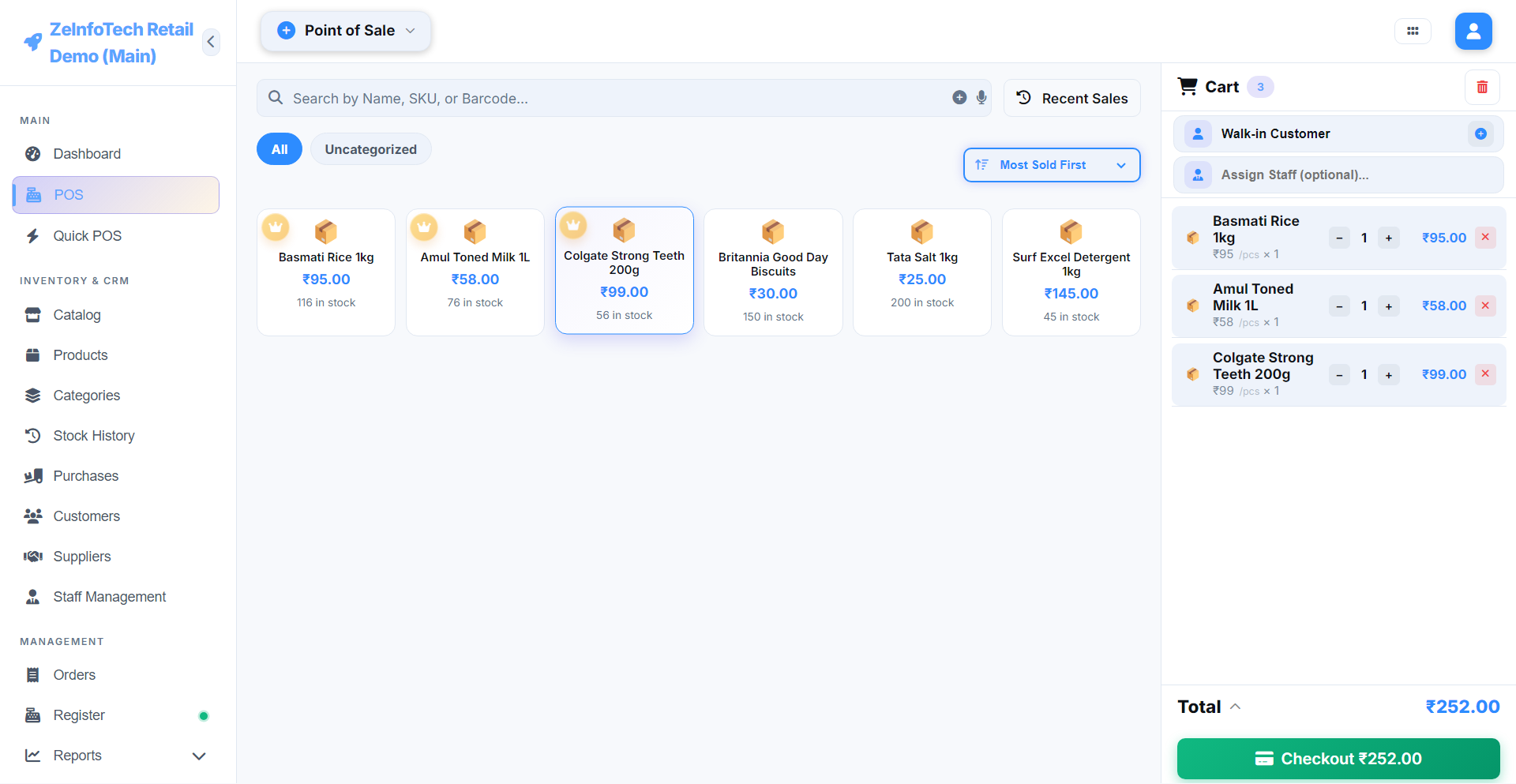
ZeInfoTech POS — Billing
ZeInfoTech POS billing screen — product grid on the left, live cart with GST-ready totals on the right
Built on a resilient, modern stack
⚙️ Electron Desktop
💾 IndexedDB Local Cache
🔄 WebSocket SyncEngine
🧾 GSTR-1 / GSTR-2B Ready
Core Capabilities

Everything a growing retail business actually needs

Not a bare-bones billing app — a full ERP core wearing a POS interface.

📡

Offline-First, Always-On Billing

Every sale is written to a local IndexedDB cache first — power cuts, dead Wi-Fi, or a flaky ISP never stop the counter. The moment connectivity returns, the SyncEngine quietly catches everything up in the background — no manual re-entry, ever.

🏢

True Multi-Branch

Isolated inventory, registers and staff per branch — one owner dashboard to see them all.

💳

Smart Split Payments

Cash + UPI + Card in one bill, auto-balancing the remaining due as you type.

🧾

GST Auto-Compliance

CGST/SGST/IGST split automatically by branch & customer state. GSTR-1 and GSTR-2B ready exports.

📦

Order → Received Purchasing

Stock only updates once goods are physically confirmed received — no more inventory drifting ahead of reality.

👥

Credit Ledger & Customer Accounts

Issue credit sales against a configurable limit, track every rupee owed per customer, and settle balances — partially or in full — right from the Outstanding report.

📊

Reports That Actually Explain the Business

Sales, purchases, GST, payments, customers and suppliers — as date-range-aware charts, not just static tables. Export to CSV or PDF in one click.

Built For Retail

One POS. Every kind of retail counter.

From daily scan-and-pay to appointment-based services — if you check customers out at a counter, ZeInfoTech POS fits.

🛒

Supermarkets

Quick POS is built for scan-and-pay counters — barcode in, next customer.

🥐

Bakery

Counter sales with size/weight variants, ready out of the box.

💇

Saloon & Spa

Per-stylist commission tracking, built right into Staff Management.

Cafe & Quick-Service

Fast counter billing for tea stalls, juice bars, and grab-and-go counters.

💊

Pharmacy & Medical

Expiry alerts, batch-level stock, and exact shelf location — Floor / Row / Rack.

👕

Clothing & Footwear

Size and color variants, plus a visual catalog grid to browse the racks.

See It Running

Real screens, real numbers

No mockups here — this is the actual app, mid-shift, with a live sale on the books.

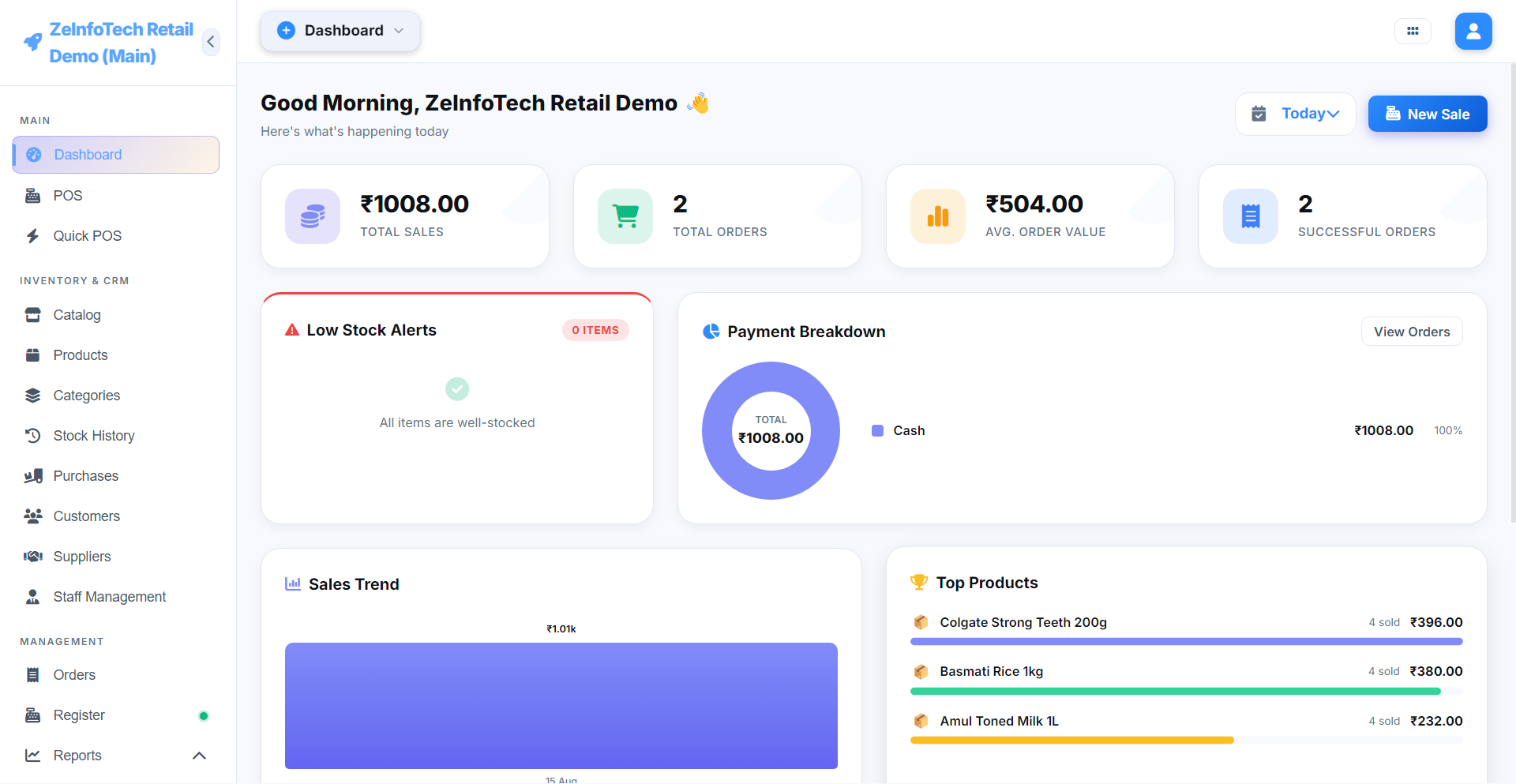
Dashboard
ZeInfoTech POS Dashboard — total sales, orders, payment breakdown, sales trend and top products

Dashboard

Today's sales, payment mix, low-stock alerts and top products — one glance, no digging.

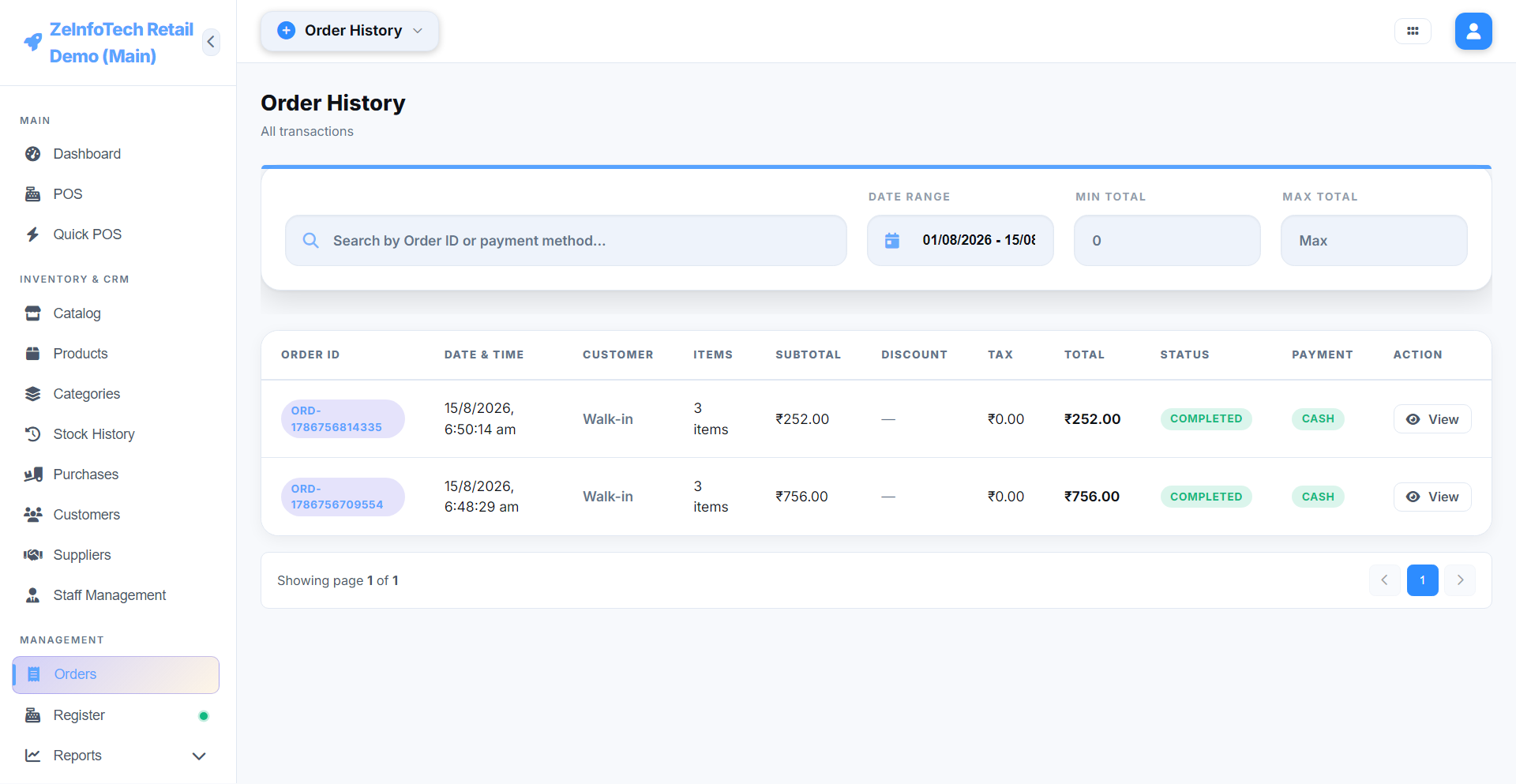
Order History
ZeInfoTech POS Order History — completed orders with totals and payment method

Order History

Every sale, searchable by ID or payment method, with a full receipt view.

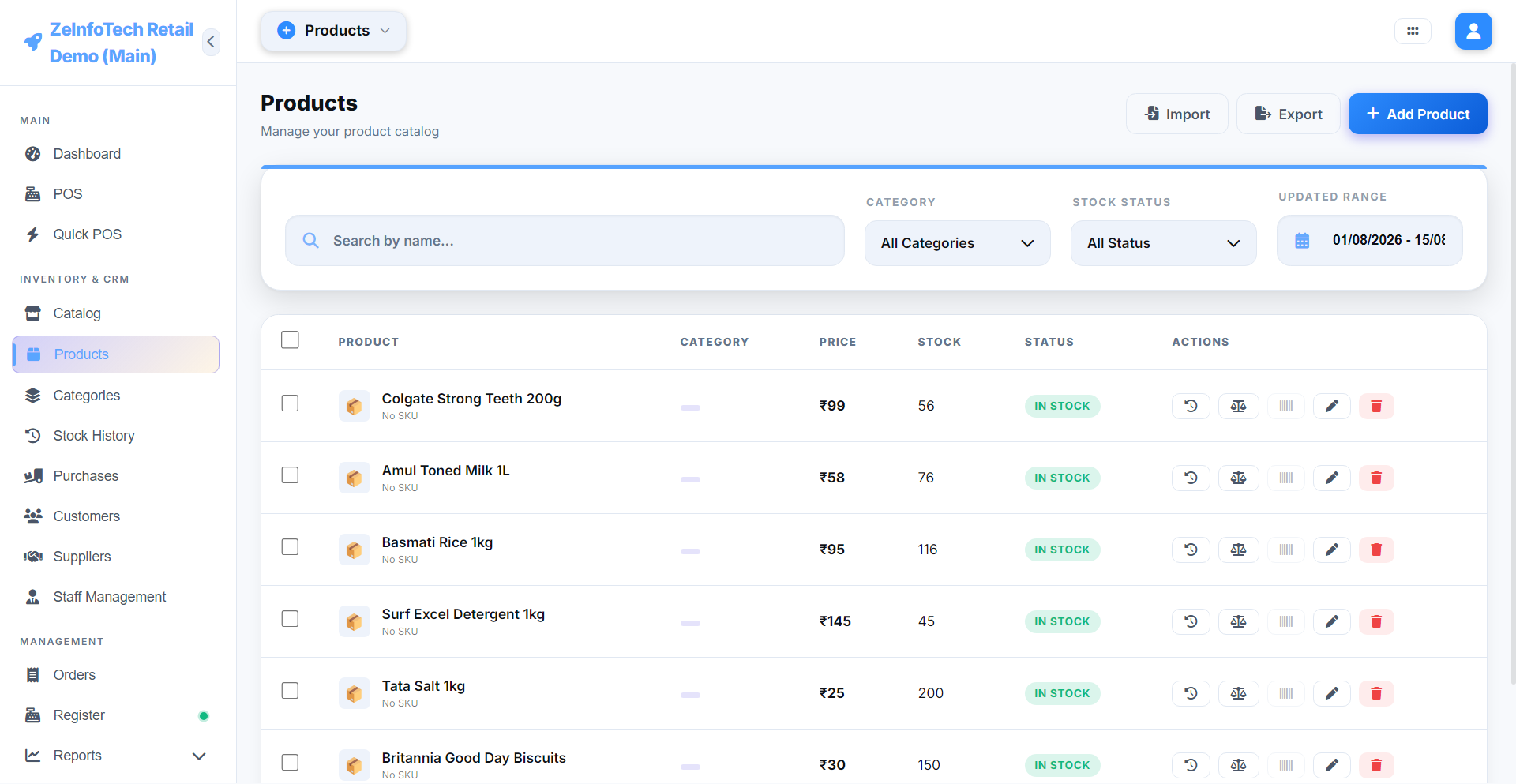
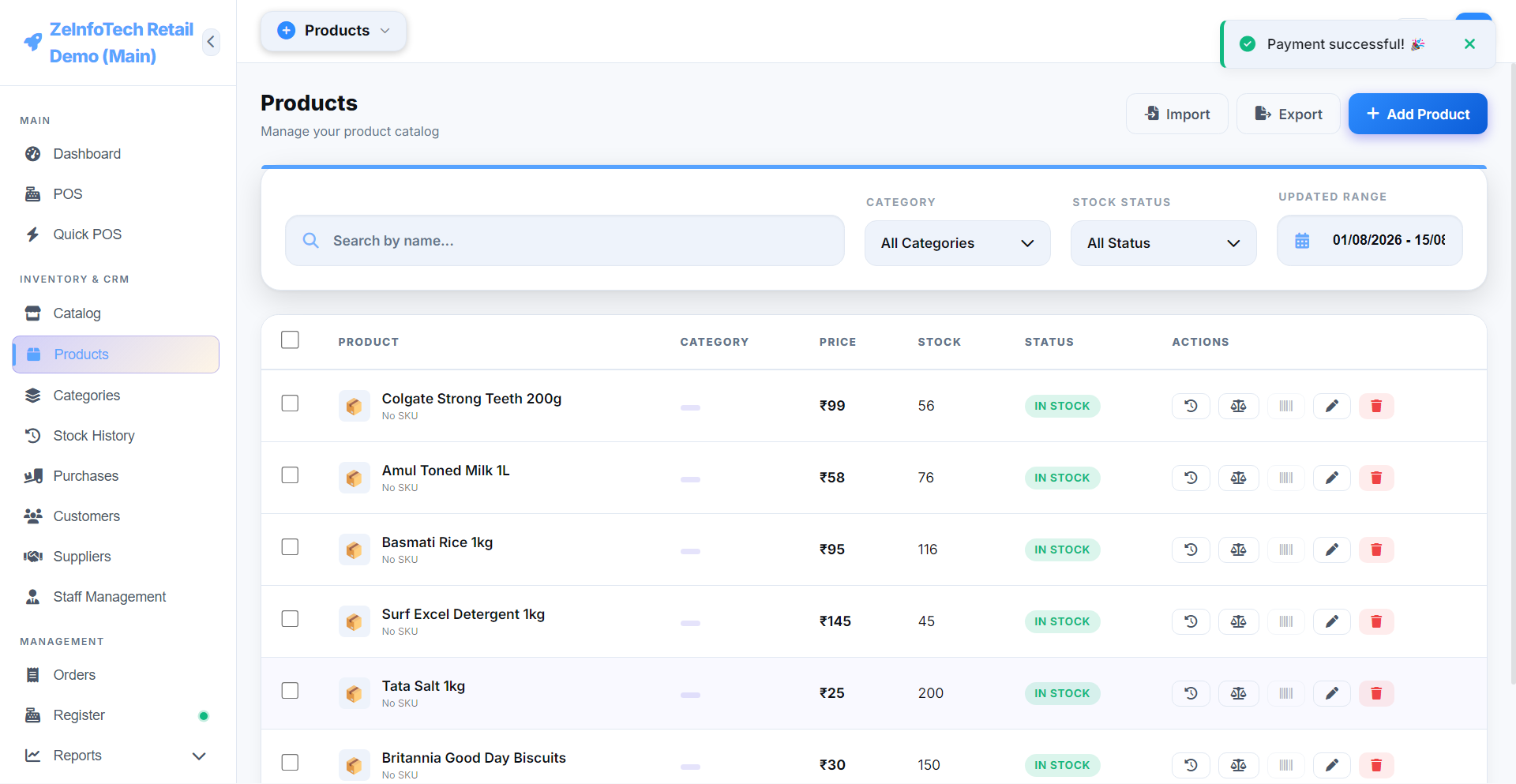
Products
ZeInfoTech POS Products catalog — pricing and live stock levels

Product Catalog

Pricing, stock and status at a glance, with quick-edit actions per row.

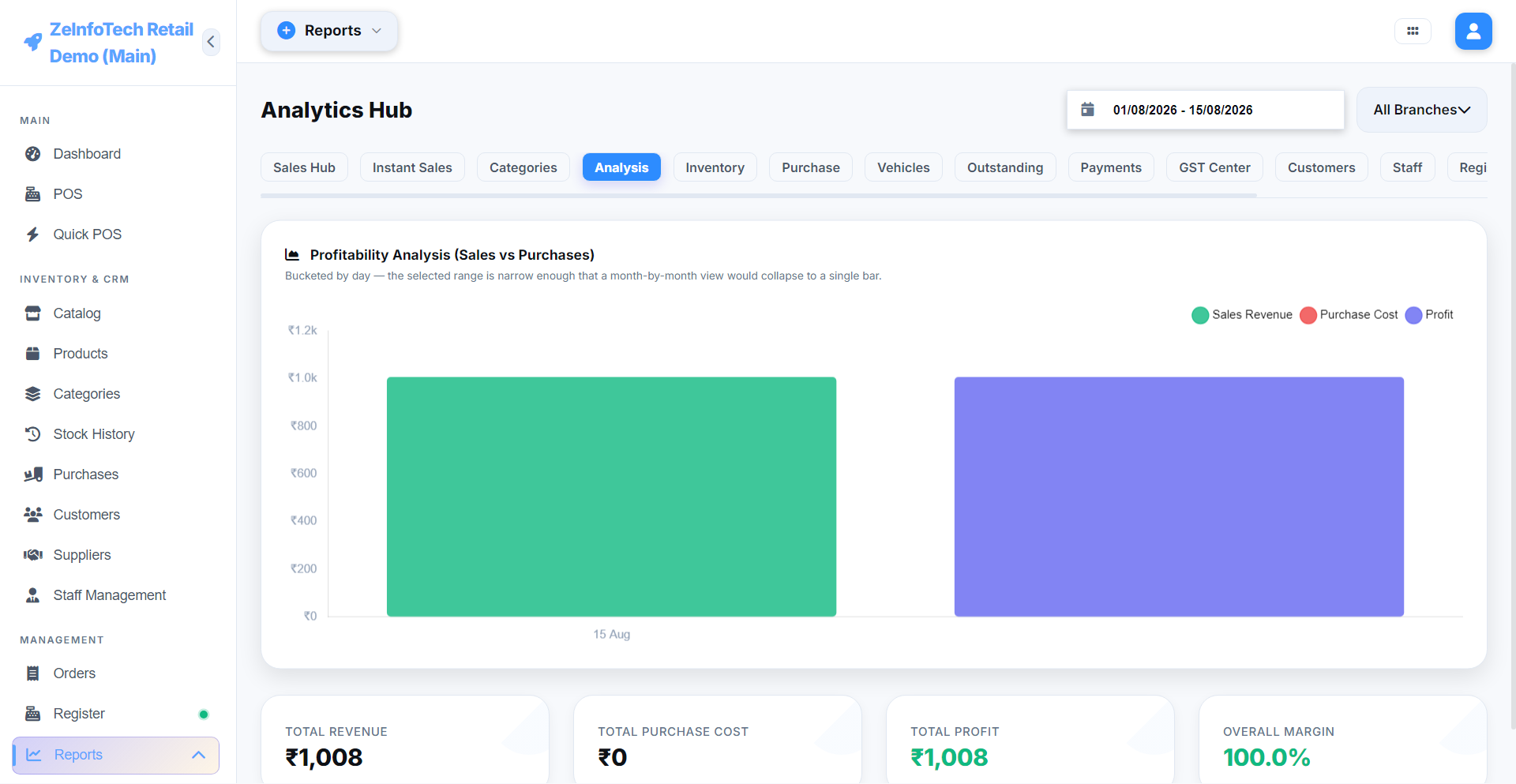
Reports — Profitability Analysis
ZeInfoTech POS Profitability Analysis chart — sales versus purchases and margin

Profitability Analysis

Sales vs. purchases vs. profit, bucketed to whatever date range you pick.

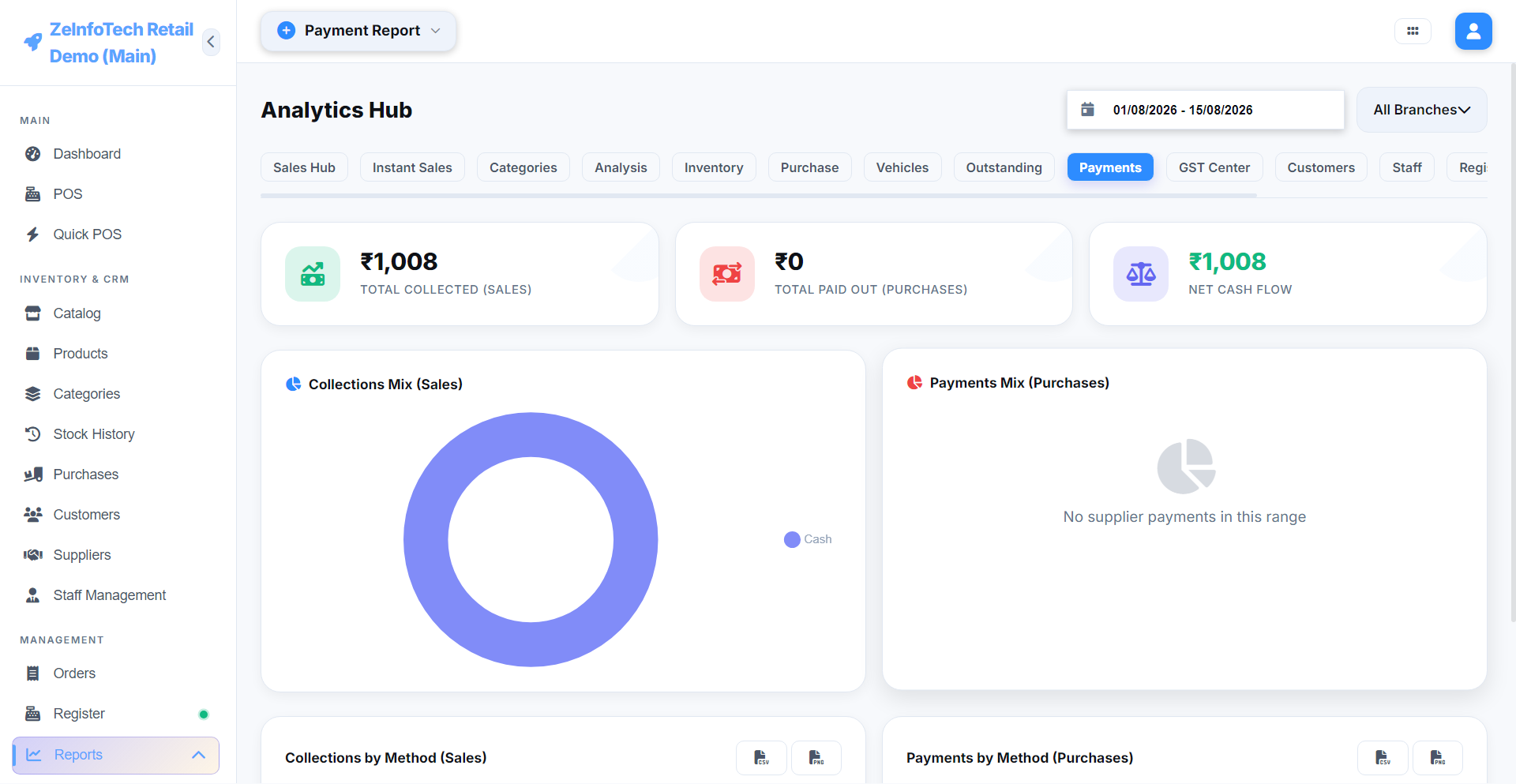
Reports — Payment Report
ZeInfoTech POS Payment Report — collections and payments out by method

Payment Report

Every rupee collected and paid out, broken down by method.

Purchases
ZeInfoTech POS Purchases screen — supplier orders and receiving status

Purchases

Order → Received workflow, so stock only updates once goods actually arrive.

Full Walkthrough, Narrated

Watch it actually run

A real, step-by-step tour — billing a sale, Quick POS, adding a product, reports, and settings.

Under the Hood

Local-first, resilient by design

A three-layer architecture built so the shop floor never has to wait on a server.

1

Bill on the Local Device

Every action — a sale, a purchase, a stock change — is written instantly to the device's own IndexedDB. Zero dependency on a live connection to keep working.

2

SyncEngine Queues & Replicates

A background service streams every change to a Local Hub over WebSockets, with built-in recovery for ID mismatches between local and central stores.

3

One Source of Truth

All branches converge into one source of truth — powering owner-level dashboards, consolidated reports, and cross-branch visibility.

Full Coverage

18 modules. One system.

From the billing counter to the owner's reports dashboard, it's all one connected platform.

Billing & Sales

🖥️

POS

Full-screen billing with split payments and discounts.

View details →

Quick POS

Supermarket-style scan-and-pay, built for speed.

View details →
🧾

Orders & Returns

Full sales history, refunds, and cancellations.

View details →
🗄️

Register & Shifts

Cash drawer open/close with denomination counting.

View details →

Inventory & Catalog

📦

Products & Variants

Pricing, stock, and size/color variants.

View details →
🗂️

Categories

Keep your catalog organized as it grows.

View details →
🧊

Catalog

Visual grid view with exact storage location.

View details →
🚚

Purchases

Order → Received workflow — stock updates only on arrival.

View details →
📜

Inventory Audit Log

Every stock movement, with a reason and a name attached.

View details →

People

👤

Customers

Credit ledger and loyalty, all in one profile.

View details →
🏬

Suppliers

Vendor directory with full payment history.

View details →
🧑‍💼

Staff Management

Track commission and earnings per staff member.

View details →

Reports & Insights

📊

Reports & Analytics

Sales, GST, payments, and profitability — by date range.

View details →
🖥️

Customer Display

A second screen showing the live cart at checkout.

View details →

Admin & Control

🏢

Branches

Isolated inventory and staff per location.

View details →
🔐

Users & RBAC

Staff, Manager, Admin and Master — scoped permissions.

View details →
⚙️

Settings

Store details, tax rates, currency, and backups.

View details →
🛡️

Security

PIN and module locks, with brute-force throttling.

View details →
And a Lot More

The little things that add up

Details most billing software skips — built in from day one.

  • Bulk Product Import — upload → map columns → preview → import, in minutes.
  • Purchase Bill Attachments — attach a supplier's invoice photo/PDF right to the record.
  • Low Stock & Expiry Alerts — automatic warnings before you run out or go stale.
  • Delivery Vehicle Tracking — know exactly what left on which vehicle.
  • Customer-Facing Display — a second screen with live cart total and UPI QR.
  • Barcode Scanning — scan-to-add across POS and Quick POS.
  • Direct Thermal Printing — receipts and purchase vouchers, no print dialog friction.
  • Storage Location Tracking — know the exact Floor / Row / Rack for every product.
  • Role-Based Access Control — Staff, Manager, Admin and Master, each seeing only what they should.
  • Cash Denomination Counting — note-by-note shift close, mismatches caught instantly.
  • Full Backup & Restore — your data is never one bad day away from gone.
  • PIN & Module Security Locks — with brute-force throttling built in.
Questions

Before you ask

The things people usually want to know before switching.

Yes — every sale, product, and stock change writes to the device's own local database first. The app works fully offline; nothing about billing depends on a live connection. Once you're back online, everything quietly syncs up in the background.

Yes. Each branch runs its own isolated inventory, registers, and staff, and the owner gets one consolidated dashboard across all of them. Multiple counters within the same branch can run their own registers too.

Your data isn't only on that one machine — it syncs to a central hub whenever you're online, and there's a full backup & restore feature besides. A new device can be set back up without starting from zero.

No — it installs like any normal Windows desktop app. We also walk you through the initial setup (store details, products, staff logins) during onboarding, so you're not figuring it out alone.

Yes — CGST, SGST, and IGST are split automatically based on your branch's state and the customer's, and the GST Summary report is ready for GSTR-1 / GSTR-2B filing without manual recalculation.

Yes — book a 30-minute live walkthrough below, or watch the narrated demo on this page first. We'll set up a proper trial for your actual products and branches once you're ready.

Let's talk

Ready to run your shop on something that doesn't wait for the internet?

Pick a time below for a live 30-minute walkthrough — or reach out directly.

Prefer to reach out directly?
Get a Demo